Comparison / 5 min read
Muzzle alternatives for Mac in 2026
Muzzle's latest release is from 2021. Six current ways to keep notifications and private apps out of a screen share on your Mac, from a free macOS setting to ScreenVeil.
By ScreenVeilPublished
The short answer
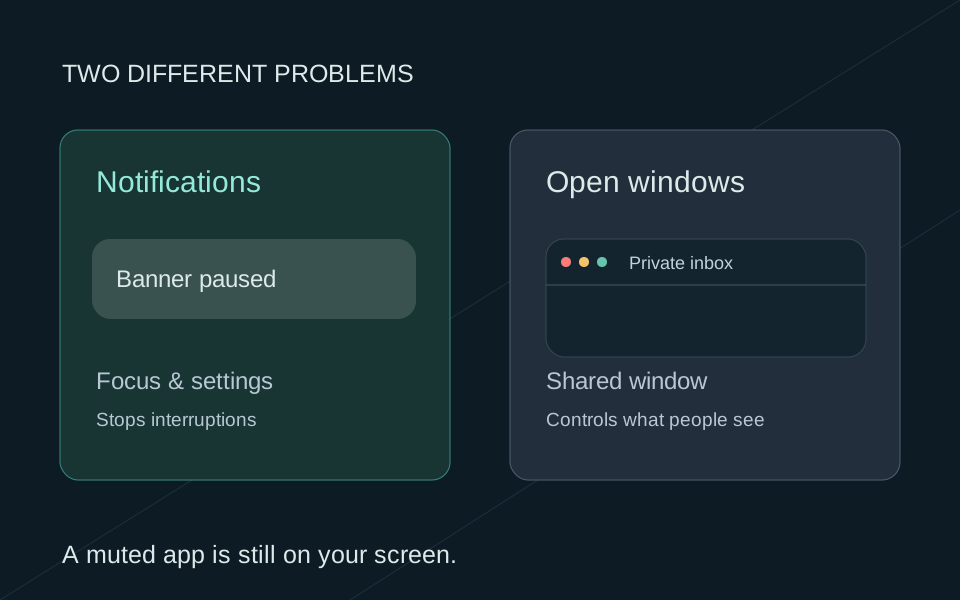
If notification banners are your only worry, you may not need an app: macOS can pause notifications while you share your screen. If you want your desktop tidied too, look at Stealthly, CleanSlate, PliimPRO or Hush. If private apps need to stay open during the call, ScreenVeil leaves them out of the window you share.
Why people look for a Muzzle alternative
Muzzle does one job. Its website says it turns on Do Not Disturb when screen sharing starts, in apps like Zoom, Slack, Google Hangouts and BlueJeans. It's free, and MacUpdate lists version 1.9 from June 2021 as its latest release. It may still work for you, but macOS now handles the same job, and newer apps go further.
First, try the free setting in macOS
- 1
Open Notifications settings
Choose Apple menu > System Settings, then click Notifications.
- 2
Find the sharing option
Under Show Notifications, find "when mirroring or sharing the display".
- 3
Pause notifications
Choose Notifications Off. Then send yourself a harmless message during a test share and check that it stays hidden.
Six Muzzle alternatives compared
We make ScreenVeil, so we're not neutral. We checked each app's website on September 26, 2026. Prices and features change, so check before you buy.
Scroll sideways to compare →
| Alternative | What it does | Price | Good if |
|---|---|---|---|
| macOS setting | Pauses notifications while you mirror or share the display | Free | Banners are your only worry |
| Stealthly | Turns on Do Not Disturb and hides desktop icons, the Dock, your wallpaper and open windows when sharing starts | $12.99 once | You want your Mac cleaned up in one step |
| CleanSlate | Hides desktop icons, windows, notifications and Chrome tab titles right before you share | $9.99 once | You want tab titles hidden too |
| PliimPRO | One click hides desktop icons and active apps, turns off notifications and mutes your mic and speakers | $22 once, or with Setapp | You already pay for Setapp |
| Hush | Blurs or replaces your desktop when sharing starts, or dims everything except the window you're using | Free desktop mode, one-time Pro upgrade | You want to start free |
| ScreenVeil | Leaves the apps you mark private out of a separate window you share, while they stay open on your Mac | $9.99 once, 3 free sessions | You need private apps during the call |
Match the tool to the problem
What are you worried about?
- 01
A banner might pop up
The macOS setting, or any app on this list
- 02
Your desktop looks messy
Stealthly, CleanSlate, PliimPRO or Hush
- 03
Private apps must stay open
ScreenVeil's Privacy Screen
Where ScreenVeil fits
The other apps on this list change your desktop before people see it. ScreenVeil gives you a separate window to share instead. You keep working in Slack, Mail or your notes, and people see Privacy Screen, a window without those apps. It also leaves macOS notification banners out of that window by default.
Before your next call
0 of 3 checked
For your rehearsal. Selections stay on this page and are not sent anywhere.
Related guides
Comparison
Muzzle vs ScreenVeil: which privacy problem are you solving?
Muzzle and macOS Focus deal with notifications. ScreenVeil keeps private apps out of the window you share. Compare them and pick the simplest setup for your calls.
Mac privacy
How to hide notifications when screen sharing on Mac
Keep notification banners out of a screen share on your Mac with Focus and a few settings. Muting banners won't hide an inbox or chat window that's already open.
Comparison
Stealthly alternative for Mac: keep private apps open while you share
Stealthly hides windows on your Mac when sharing starts. ScreenVeil keeps private apps open and leaves them out of the window you share. Here's how to choose.